看一看
-
ksky521/nodeppt: This is probably the best web presentation tool so far! (github.com)
-
webslides/WebSlides: Create HTML presentations in seconds — (github.com)
看样子 nodeppt 是在这玩意的基础上加上了 markdown 转 html 的逻辑。
耍一耍
链接 / iframe:
一个 #weblides 就是一个幻灯片对象,一个 <section/> 就是一个幻灯片页面,#section-X 表示第 X 页。
- 快捷键:
- Page 翻页:
↑/↓/←/→SpaceHomeEnd - Fullscreen 全屏:
F - Overview 大纲:
-/+ - Speaker Note 演讲者笔记:
N - Grid Background 网格背景:
Enter
- Page 翻页:
写一写
新建一个文件夹,打开命令行,安装 nodeppt:
npm install -g nodeppt由于这个库有点旧,在新的 nodejs 上运行会报错。需要打开对应的 package.json 修改一下内容:

在 "scripts":{} 下插入 "serve": "SET NODE_OPTIONS=--openssl-legacy-provider",。
之后每次执行 nodeppt 的命令前都必须执行:
set NODE_OPTIONS=--openssl-legacy-provider回到文件夹,创建一个 index.md,编写如下内容:
至于 nodeppt 中特有的语法,有时间再慢慢研究吧……
title: nodeppt - 这可能是迄今为止最好的网页版演示库
speaker: 三水清
url: https://github.com/ksky521/nodeppt
js:
- https://echarts.cdn.apache.org/zh/asset/theme/infographic.js
plugins:
- echarts: {theme: infographic}
- mermaid: {theme: forest}
- katex
<slide class="bg-black-blue aligncenter" image="https://cn.bing.com/az/hprichbg/rb/RainierDawn_EN-AU3730494945_1920x1080.jpg .dark">
# nodeppt {.text-landing.text-shadow}
这可能是迄今为止最好的网页版演示库 {.text-intro.animated.fadeInUp.delay-500}
[:fa-github: Github](https://github.com/ksky521/nodeppt){.button.ghost.animated.flipInX.delay-1200}
<slide :class="size-30 aligncenter">
### Install
---
`npm install -g nodeppt` {.animated.fadeInUp}
<slide :class="size-40 aligncenter">
### Commands
---
```shell {.animated.fadeInUp}
# create a new slide with an official template
$ nodeppt new slide.md
# create a new slide straight from a github template
$ nodeppt new slide.md -t username/repo
# start local sever show slide
$ nodeppt serve slide.md
# to build a slide
$ nodeppt build slide.md
```
<slide class="bg-gradient-r" :class=" size-40 aligncenter" image="https://cn.bing.com/az/hprichbg/rb/WinterLynx_ZH-CN7158207296_1920x1080.jpg .dark">
## Demo Contents
---
* Keyboard Shortcuts {.animated.fadeInUp}
* CSS Syntax {.animated.fadeInUp.delay-400}
* Background {.animated.fadeInUp.delay-800}
* Animation {.animated.fadeInUp.delay-1200}
* Content Position {.animated.fadeInUp.delay-1600}
* Quotes {.animated.fadeInUp.delay-2s}
* Plugins\: echarts/mermaid/ketax {.animated.fadeInUp.delay-2400}
* Others\: Button/Table.. {.animated.fadeInUp.delay-2800}
* Speaker mode.. {.animated.fadeInUp.delay-3200}
<slide :class="size-60 aligncenter">
## Keyboard Shortcuts
---
- Page\: ↑/↓/←/→ Space Home End
- Fullscreen\: F
- Overview\: -/+
- Speaker Note\: N
- Grid Background\: Enter
:::note
## Note here
:::
<slide :class="size-50">
## :fa-heart-o: CSS Syntax
WebSlides is so easy to understand and love. Baseline\: 8. {.text-intro}
* :Typography\::{.text-label} .text-landing, .text-subtitle, .text-data, .text-intro...
* :BG Colors\::{.text-label} .bg-primary, .bg-blue,.bg-apple...
* :BG Images\::{.text-label} .background, .background-center-bottom...
* :Sizes\::{.text-label} .size-50, .size-40...
* :Component\::{.text-label} card, flexblock, gallery...
* :Animation\::{.text-label} autoplay, animate.css...
{.description}
<slide :class="size-50 aligncenter">
## Text Classes
<slide class="aligncenter">
# Landings {.text-landing}
`.text-landing`
<slide class="aligncenter">
# Landings {.text-landing}
Create a simple web presence. {.text-intro}
`.text-intro`
<slide class="aligncenter">
POWERED BY [#WEBSLIDES](https://twitter.com/search?f=tweets&vertical=default&q=%23WebSlides&src=typd) `.text-subtitle` {.text-subtitle}
# Landings {.text-landing}
Create a simple web presence. {.text-intro}
`.text-intro`
<slide class="bg-black aligncenter" image="https://cn.bing.com/az/hprichbg/rb/RedAntarctica_EN-AU12197122155_1920x1080.jpg">
# **Landings** {.text-landing.text-shadow}
`.text-shadow` {.text-intro}
<slide class="bg-apple aligncenter">
## 4,235,678 {.text-data}
`.text-data`
<slide>
Why WebSlides? .text-context {.text-content}
## WebSlides is incredibly easy and versatile. The easiest way to make HTML presentations.
<slide>
`.text-cols (2 columns)`
:::div {.text-cols}
**Why WebSlides?** There are excellent presentation tools out there. WebSlides is about sharing content, essential features, and clean markup. **Each parent <slide>** in the #webslides element is an individual slide.
**WebSlides help you build a culture of innovation and excellence**. When you're really passionate about your job, you can change the world. How to manage a design-driven organization? Leadership through usefulness, openness, empathy, and good taste.
:::
:::flexblock {.metrics}
:fa-phone:
Call us at 555.345.6789
----
:fa-twitter:
@username
----
:fa-envelope:
Send us an email
:::
<slide :class="size-50 aligncenter">
## Backgrounds
<slide>
## Corporate Backgrounds
:::flexblock {.blink.border}
## .bg-primary {..bg-primary}
\#44d
---
## .bg-secondary {..bg-secondary}
\#67d
---
## .bg-light {..bg-light}
\#edf2f7
---
## body
\#f7f9fb
:::
---
## General Colors
:::flexblock {.blink.border}
## .bg-black {..bg-black}
\#111
---
## .bg-black-blue {..bg-black-blue}
\#123
---
## .bg-white {..bg-white}
\#fff
:::
<slide>
## Colorful
:::flexblock {.border.blink}
## .bg-red {..bg-red}
\#c23
---
## .bg-green {..bg-green}
\#077
---
## .bg-blue {..bg-blue}
\#346
---
## .bg-purple {..bg-purple}
\#62b
:::
---
### Transparent Backgrounds
:::flexblock {.border.blink}
## .bg-trans-dark {..bg-trans-dark}
rgba(0, 0, 0, 0.5)
---
## .bg-trans-light {..bg-trans-light}
rgba(255, 255, 255, 0.2)
:::
<slide class="bg-gradient-h">
# Gradients
:::flexblock {.border}
Horizontal
`.bg-gradient-h`
---
Radial
`.bg-gradient-r`
---
Vertical
`.bg-gradient-v`
:::
<slide class="bg-gradient-v aligncenter">
## Vertical Gradient
`.bg-gradient-v`
<slide class="bg-gradient-r aligncenter">
## Radial Gradient
`.bg-gradient-r`
<slide class="bg-black" video="https://webslides.tv/static/videos/working.mp4 poster='https://webslides.tv/static/images/working.jpg'" >
`.background-video`
## **WebSlides is the easiest way to make HTML presentations. Inspire and engage.**
<slide class="bg-blue aligncenter" video="https://webslides.tv/static/videos/working.mp4 poster='https://webslides.tv/static/images/working.jpg' .dark">
## BG Video with Overlay {.text-landing}
`<slide class="bg-blue aligncenter" video="https://webslides.tv/static/videos/working.mp4 poster='https://webslides.tv/static/images/working.jpg' .dark">` or `.light`
<slide class="fullscreen bg-blue" youtube=".dark id='_m67JbGjWnc' autoplay loop" :class="aligncenter">
## **Youtube Background**
`<slide youtube=".dark id='_m67JbGjWnc' autoplay loop">`
<slide image="https://webslides.tv/static/images/iphone-hand.png .right-bottom">
:::{.content-left}
### .background-(position)
:::flexblock {.specs}
::fa-wifi::
## Ultra-Fast WiFi
Simple and secure file sharing.
---
::fa-battery-full::
## All day battery life
Your battery worries may be over.
---
::fa-life-ring::
## All day battery life
We'll fix it or if we can't, we'll replace it.
:::
<slide :class="size-50 aligncenter">
## Components
<slide :class="size-60">
## Shadowbox
`:::shadowbox`
---
:::shadowbox
## We're web people.
There're excellent presentation tools out there. WebSlides is about telling the story, and sharing it in a beautiful way. Hypertext and clean code as narrative elements.
---
## Work better, faster.
Designers, marketers, and journalists can now focus on the content. Simply [choose a demo](https://webslides.tv/demos) and customize it in minutes.
:::
<slide :class="size-80">
:::card
## Card
.card-50.bg-white
[Unsplash](http://Unsplash.com) is a really cool resource. It is a collection of Creative Commons Zero licensed photos that are really great. {.text-intro}
- :Role\::{.text-label} Frontend
- :client\::{.text-label} Acme
- :year\::{.text-label} 2018
{.description}
---

:::
<slide class="fullscreen">
:::card
---
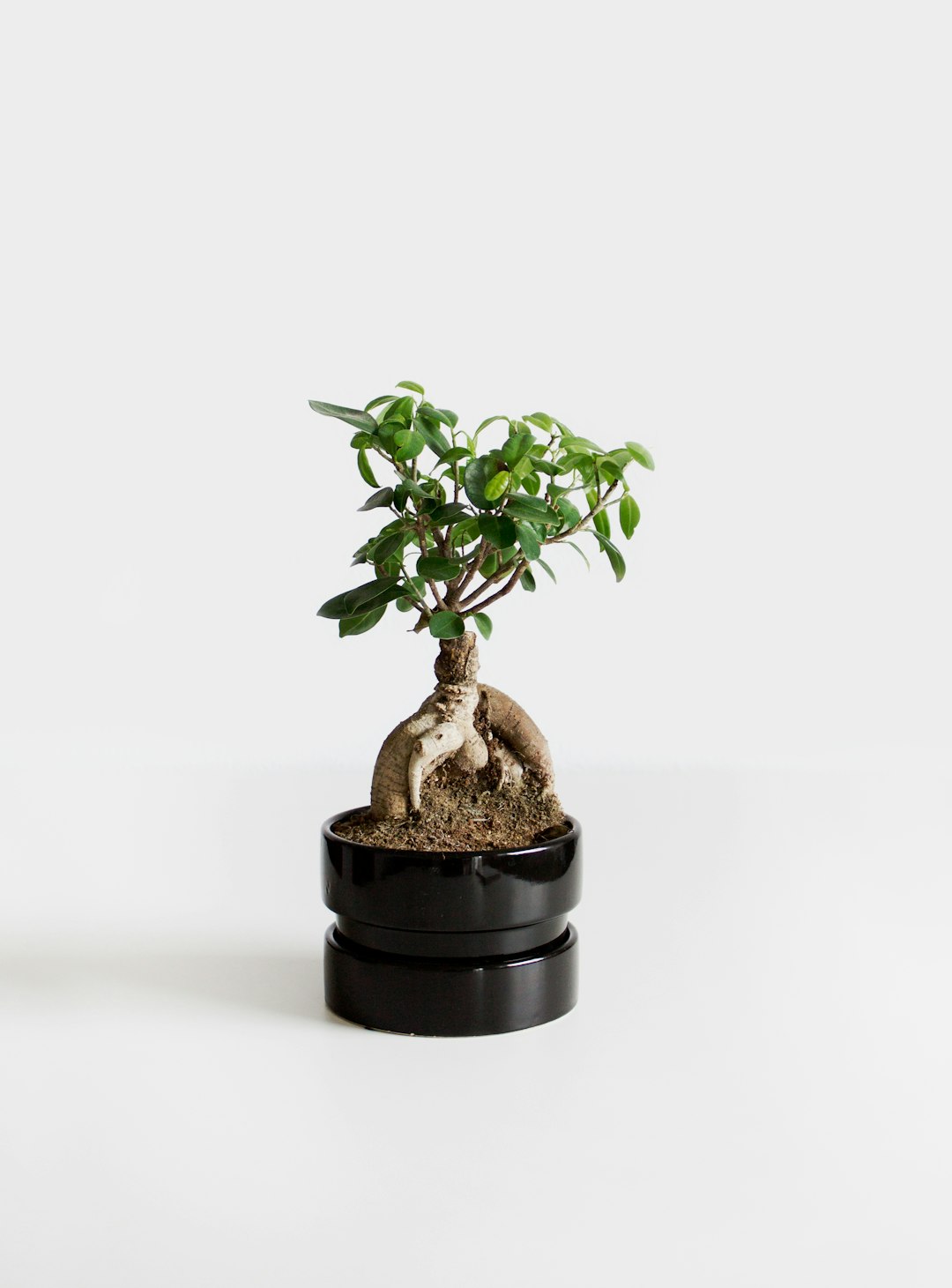
## Bonsai
Bonsai is a Japanese art form using trees grown in containers — **.fullscreen > .card-50.** {.text-intro}
Similar practices exist in other cultures, including the Chinese tradition of penjing from which the art originated, and the miniature living landscapes of Vietnamese hòn non bộ.
:::
<slide class="aligncenter">
## **Flexible blocks**
`:::flexblock` = Flexible blocks with auto-fill and equal height.
<slide>
## Flexblock
:::flexblock
## :fa-bar-chart: Purpose
Businesses that people love5
---
## :fa-bar-chart: Purpose
Businesses that people love6
---
## :fa-balance-scale: Purpose
Businesses that people love7
---
## :fa-cog: Purpose
Businesses that people love8
:::
---
## Flexblock `{.blink.border}`
:::flexblock {.blink.border}
## :fa-bar-chart: Purpose
Businesses that people love1
---
## :fa-bar-chart: Purpose
Businesses that people love2
---
## :fa-balance-scale: Purpose
Businesses that people love3
---
## :fa-cog: Purpose
Businesses that people love4
:::
<slide>
## Flexblock clients
`{.clients}`
:::flexblock {.clients}
{.blacklogo}
### Interfaces
Collaboration with the Acme team to design their mobile apps.
---
 {.blacklogo}
### Interfaces
Collaboration with the Acme team to design their mobile apps.
---
{.blacklogo}
### Interfaces
Collaboration with the Acme team to design their mobile apps.
---
{.blacklogo}
### Interfaces
Collaboration with the Acme team to design their mobile apps.
:::
<slide :class="size-70">
### Gallery
`:::gallery`
:::gallery

## Alicia Jiménez
Founder & CEO
---

## Sam Trololovitz
Master of nothing
---

## Erin Gustafson
VP of Design
:::
<slide :class="size-80">
### Gallery overlay
`:::gallery-overlay`
:::gallery-overlay

## Alicia Jiménez
Founder & CEO
---

## Sam Trololovitz
CTO
---

## Erin Gustafson
VP of Design
:::
<slide class="bg-red frame">
:::cta
::^\$^40::
---
## Watch TV shows anytime, anywhere
.frame.bg-red
:::
<slide class="bg-black-blue">
## Grid Columns
:::column
### **:fa-line-chart: Design**
Design for growth. We've built a team of world-class designers, developers, and managers.
---
### **:fa-film: Videos**
We connect your audience needs, business goals, and brand values into a strategy.
---
### **:fa-users: Users**
We offer personalized services with deep expertise in design and technology.
---
### **:fa-graduation-cap: Teams**
We train teams to help organizations succeed in the digital age.
:::
<slide :class="size-50 aligncenter">
## Animations
<slide :class="aligncenter">
## Autoplay Animation
`.animated.lightSpeedIn.slow` {.lightSpeedIn.animated.slow}
<slide :class="size-50">
### **animate.css** + `.build`
---
1. **fadeIn**{.bounce}
2. **swing**{.swing}
3. **flash**{.flash}
4. **pulse**{.pulse}
5. **shake**{.shake}
6. **bounceIn**{.bounceIn}
7. **wobble**{.wobble}
8. **fadeInLeft**{.fadeInLeft}
9. **flipInX**{.flipInX}
10. **tada**{.tada}
11. **slideInUp**{.slideInUp}
12. **jello**{.jello}
13. **heartBeat**{.heartBeat}
14. **fadeInUp**{.fadeInUp}
15. **lightSpeedIn**{.lightSpeedIn}
{.text-cols.build}
<slide class="bg-black aligncenter" image="https://source.unsplash.com/n9WPPWiPPJw/ .anim">
## .background.anim
<slide :class="size-50 aligncenter">
## Content Position
<slide class="slide-top">
:::{.content-left}
### 1/9 left top
Put content wherever you want. Have less. Do more. Create beautiful solutions.
`.slide-top and .content-left`
<slide class="slide-top">
:::{.content-center}
### 2/9 center top
In a village of La Mancha, the name of which I have no desire to call to mind,
`.slide-top and .content-center`
<slide class="slide-top">
:::{.content-right}
### 3/9 right top
there lived not long since one of those gentlemen that keep a lance in the lance-rack, an old buckler, a lean hack, and a greyhound for coursing.
`.slide-top and .content-right`
<slide>
:::{.content-left}
### 4/9 left top
An olla of rather more beef than mutton, a salad on most nights, scraps on Saturdays,
`.content-left`
<slide>
:::{.content-center}
### 5/9 center top
lentils on Fridays, and a pigeon or so extra on Sundays, made away with three-quarters of his income.
`.content-center`
<slide>
:::{.content-right}
### 6/9 right top
he rest of it went in a doublet of fine cloth and velvet breeches and shoes to match for holidays,
`.content-right`
<slide class="slide-bottom">
:::{.content-left}
### 7/9 left bottom
while on week-days he made a brave figure in his best homespun.
`.slide-bottom` and `.content-left`
<slide class="slide-bottom">
:::{.content-center}
### 8/9 center bottom
He had in his house a housekeeper past forty, a niece under twenty, and a lad for the field and market-place,
`.slide-bottom` and `.content-center`
<slide class="slide-bottom">
:::{.content-right}
### 9/9 right bottom
who used to saddle the hack as well as handle the bill-hook.
`.slide-bottom` and `.content-right`
<slide class="bg-black slide-bottom" image="https://source.unsplash.com/RSOxw9X-suY/">
:::div {.content-left}
:fa-tree large:
## 1,000,000
### We're working to protect up to a million acres of sustainable forest.
:::
<slide :class="size-50 aligncenter">
## Layout
<slide :class="size-50">
### **What is Stendhal Syndrome?**
Beauty overdose. `.text-pull-right` {.text-intro}
Imagine that you are in Florence. If you suddenly start to feel that you literally cannot breathe, you may be experiencing Stendhal Syndrome.
Psychiatrists have long debated whether it really exists. {.text-pull-right}
The syndrome is not only associated with viewing a beautiful place, but also good art.
The beauty of Italian art has a concentrated perfection and transcendent sensuality that is incredibly addictive.
<slide>
:::{.aligncenter}
### Simple CSS Alignments
Put content wherever you want.
:::
:::footer
Footer: logo, credits... (.alignleft) {.alignleft}
[:fa-twitter: @username .alignright](){.alignright}
:::
:::header
Header (logo) :.alignright:{.alignright}
:::
<slide :class="size-80 aligncenter">
## Prismjs for Code Highlight
<slide :class="size-80">
:::column {.vertical-align}
### **WebSlides is really easy**
Each parent `<section>` in the #webslides element is an individual slide. {.text-intro}
Code is neat, scalable, and well documented. It uses **intuitive markup with popular naming conventions**. There's no need to overuse classes or nesting. **Based on** [SimpleSlides](https://github.com/jennschiffer/SimpleSlides) , by [Jenn Schiffer](http://jennmoney.biz) :)
----
```html
<article id="webslides">
<!-- Slide 1 -->
<section>
<h1>Design for trust</h1>
</section>
<!-- Slide 2 -->
<section class="bg-primary">
<div class="wrap">
<h2>.wrap = container (width: 90%) with fadein</h2>
</div>
</section>
</article>
```
:::
---
Vertical sliding? `<article id="webslides" class="vertical">` {.aligncenter}
<slide :class="size-80">
Optional · 500+ icons {.text-subtitle}
## [:fa-flag: Font Awesome](http://fontawesome.io/icons/) as **SVG icons** {.animated.bounceIn}
```markdown
:fa-flag:
```
<slide :class="size-50 aligncenter">
## Quote
<slide class="bg-black-blue" :class="size-60">
> I have always appreciated designers who dare to reinterpret fabrics and proportions, so I follow the Japanese and Belgian designers.
> Zaha Hadid
> {.text-quote}
<slide image="https://webslides.tv/static/images/satya.png .left-bottom">
:::div {.content-right}
> "There is something only a CEO uniquely can do, which is set that tone, which can then capture the soul of the collective."
> Satya Nadella, CEO of Microsoft.
> :::
<slide>
:::card {.quote}
---
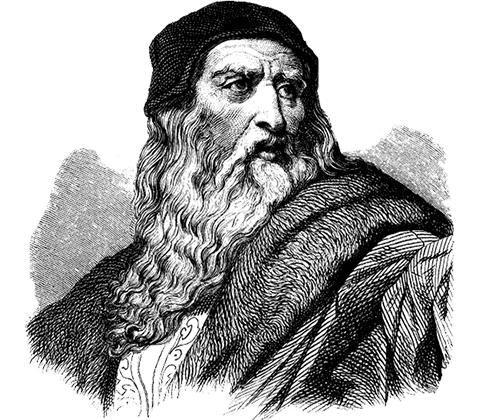
> “WebSlides helped us build a culture of innovation and excellence.”
> Leonardo da Vinci
<slide class="aligncenter">
## Plugins
<slide :class="size-60">
## echarts {.aligncenter}
```echarts {style="height:100%;width:100%;"}
{
tooltip: {
trigger: 'item',
formatter: "{a} <br/>{b}: {c} ({d}%)"
},
legend: {
orient: 'vertical',
x: 'left',
data:['直达','营销广告','搜索引擎','邮件营销','联盟广告','视频广告','百度','谷歌','必应','其他']
},
series: [
{
name:'访问来源',
type:'pie',
selectedMode: 'single',
radius: [0, '30%'],
label: {
normal: {
position: 'inner'
}
},
labelLine: {
normal: {
show: false
}
},
data:[
{value:335, name:'直达', selected:true},
{value:679, name:'营销广告'},
{value:1548, name:'搜索引擎'}
]
},
{
name:'访问来源',
type:'pie',
radius: ['40%', '55%'],
label: {
normal: {
formatter: '{a|{a}}{abg|}\n{hr|}\n {b|{b}:}{c} {per|{d}%} ',
backgroundColor: '#eee',
borderColor: '#aaa',
borderWidth: 1,
borderRadius: 4,
// shadowBlur:3,
// shadowOffsetX: 2,
// shadowOffsetY: 2,
// shadowColor: '#999',
// padding: [0, 7],
rich: {
a: {
color: '#999',
lineHeight: 22,
align: 'center'
},
// abg: {
// backgroundColor: '#333',
// width: '100%',
// align: 'right',
// height: 22,
// borderRadius: [4, 4, 0, 0]
// },
hr: {
borderColor: '#aaa',
width: '100%',
borderWidth: 0.5,
height: 0
},
b: {
fontSize: 16,
lineHeight: 33
},
per: {
color: '#eee',
backgroundColor: '#334455',
padding: [2, 4],
borderRadius: 2
}
}
}
},
data:[
{value:335, name:'直达'},
{value:310, name:'邮件营销'},
{value:234, name:'联盟广告'},
{value:135, name:'视频广告'},
{value:1048, name:'百度'},
{value:251, name:'谷歌'},
{value:147, name:'必应'},
{value:102, name:'其他'}
]
}
]
}
```
<slide class="aligncenter">
## Plugins: mermaid
<slide :class="size-60">
## Basic sequence diagram {.aligncenter}
```mermaid
sequenceDiagram
Alice ->> Bob: Hello Bob, how are you?
Bob-->>John: How about you John?
Bob--x Alice: I am good thanks!
Bob-x John: I am good thanks!
Note right of John: Bob thinks a long<br/>long time, so long<br/>that the text does<br/>not fit on a row.
Bob-->Alice: Checking with John...
Alice->John: Yes... John, how are you?
```
<slide :class="size-60">
## Message to self in loop {.aligncenter}
```mermaid
sequenceDiagram
participant Alice
participant Bob
Alice->>John: Hello John, how are you?
loop Healthcheck
John->>John: Fight against hypochondria
end
Note right of John: Rational thoughts<br/>prevail...
John-->>Alice: Great!
John->>Bob: How about you?
Bob-->>John: Jolly good!
```
<slide :class="size-80">
## Gantt {.aligncenter}
```mermaid
gantt
dateFormat YYYY-MM-DD
title Adding GANTT diagram functionality to mermaid
section A section
Completed task :done, des1, 2014-01-06,2014-01-08
Active task :active, des2, 2014-01-09, 3d
Future task : des3, after des2, 5d
Future task2 : des4, after des3, 5d
section Critical tasks
Completed task in the critical line :crit, done, 2014-01-06,24h
Implement parser and jison :crit, done, after des1, 2d
Create tests for parser :crit, active, 3d
Future task in critical line :crit, 5d
Create tests for renderer :2d
Add to mermaid :1d
section Documentation
Describe gantt syntax :active, a1, after des1, 3d
Add gantt diagram to demo page :after a1 , 20h
Add another diagram to demo page :doc1, after a1 , 48h
section Last section
Describe gantt syntax :after doc1, 3d
Add gantt diagram to demo page :20h
Add another diagram to demo page :48h
```
<slide :class="size-60">
## Flowchart support for fontawesome {.aligncenter}
```mermaid
graph TD
B["fa:fa-twitter for peace"]
B-->C[fa:fa-ban forbidden]
B-->D(fa:fa-spinner);
B-->E(A fa:fa-camera-retro perhaps?);
```
<slide class="aligncenter">
## Plugins: KaTex
<slide class="bg-gradient-v" :class="size-60">
## KaTex {.aligncenter}
| equation | description |
| ------------------------------------------------------------ | ------------------------------------------------------------ |
| $\nabla \cdot \vec{\mathbf{B}} = 0$ | divergence of $\vec{\mathbf{B}}$ is zero |
| $\nabla \times \vec{\mathbf{E}}\, +\, \frac1c\, \frac{\partial\vec{\mathbf{B}}}{\partial t} = \vec{\mathbf{0}}$ | curl of $\vec{\mathbf{E}}$ is proportional to the rate of change of $\vec{\mathbf{B}}$ |
| $\nabla \times \vec{\mathbf{B}} -\, \frac1c\, \frac{\partial\vec{\mathbf{E}}}{\partial t} = \frac{4\pi}{c}\vec{\mathbf{j}} \nabla \cdot \vec{\mathbf{E}} = 4 \pi \rho$ | _wha?_ |
<slide :class="size-50 aligncenter">
## Others
<slide :class="size-80">
::: {.content-left}
## Button
[.button](){.button} [.button.radius](){.button.radius}
[.button.ghost](){.button.ghost} [:fa-github: svg-icon](){.button}
:::
::: {.content-left}
## Avatar
{.avatar-40}
{.avatar-48}
{.avatar-56}
{.avatar-64}
{.avatar-72}
{.avatar-80}
(80, 72, 64, 56, 48, and 40).
:::
<slide :class="aligncenter size-50">
## List
----
* Niubility!
* WebSlides
* Webpack build in
* Markdown-it
* Posthtml
* Prismjs
<slide :class="size-50">
## Table
| Left-aligned | Center-aligned | Right-aligned |
| :----------- | :------------: | ------------: |
| git status | git status | git status |
| git diff | git diff | git diff |
| git status | git status | git status |
<slide class="bg-purple" :class="size-50 aligncenter" image="http://h1.ioliu.cn/bing/SandiaSunrise_ZH-CN11155504388_1920x1080.jpg .dark">
## Speaker Mode
Click **Url + [?mode=speaker](./?mode=speaker){.bg-primary style="font-size:120%"}** to show Speaker Mode.
<slide class="bg-primary" :class="size-60 frame">
## View More Demos? {.text-serif.aligncenter}
\* \* \* {.text-symbols}
<nav class="aligncenter">
* [:fa-th-large: Layout](./layout.html)
* [:fa-tv: Background](./background.html)
* [:fa-magic: Animation](./animation.html)
* [:fa-cube: Component](./component.html)
* [:fa-youtube: Media](./media.html)
{.no-list-style}
</nav>
<slide class="bg-black-blue aligncenter" image="https://cn.bing.com/az/hprichbg/rb/PragueChristmas_EN-AU8649790921_1920x1080.jpg .dark">
## U work so hard, **but** 干不过 write PPTs {.animated.tada}
快使用 [nodeppt](https://github.com/ksky521/nodeppt) 轻松搞定高大上 PPT<br/> nodeppt 助力你的人生逆袭之路!{.text-into.animated.delay-800.fadeIn}
[:fa-cloud-download: Github](https://github.com/ksky521/nodeppt){.button.animated.delay-1s.fadeInUp}编译 index.md 生成静态 HTML 文件:
nodeppt build test.md在本地服务器上浏览 index.md:
nodeppt serve test.md