参考
正文
一切复杂的位置布局都可以使用 position: absolute; 来解决!只要提供的数值准确。
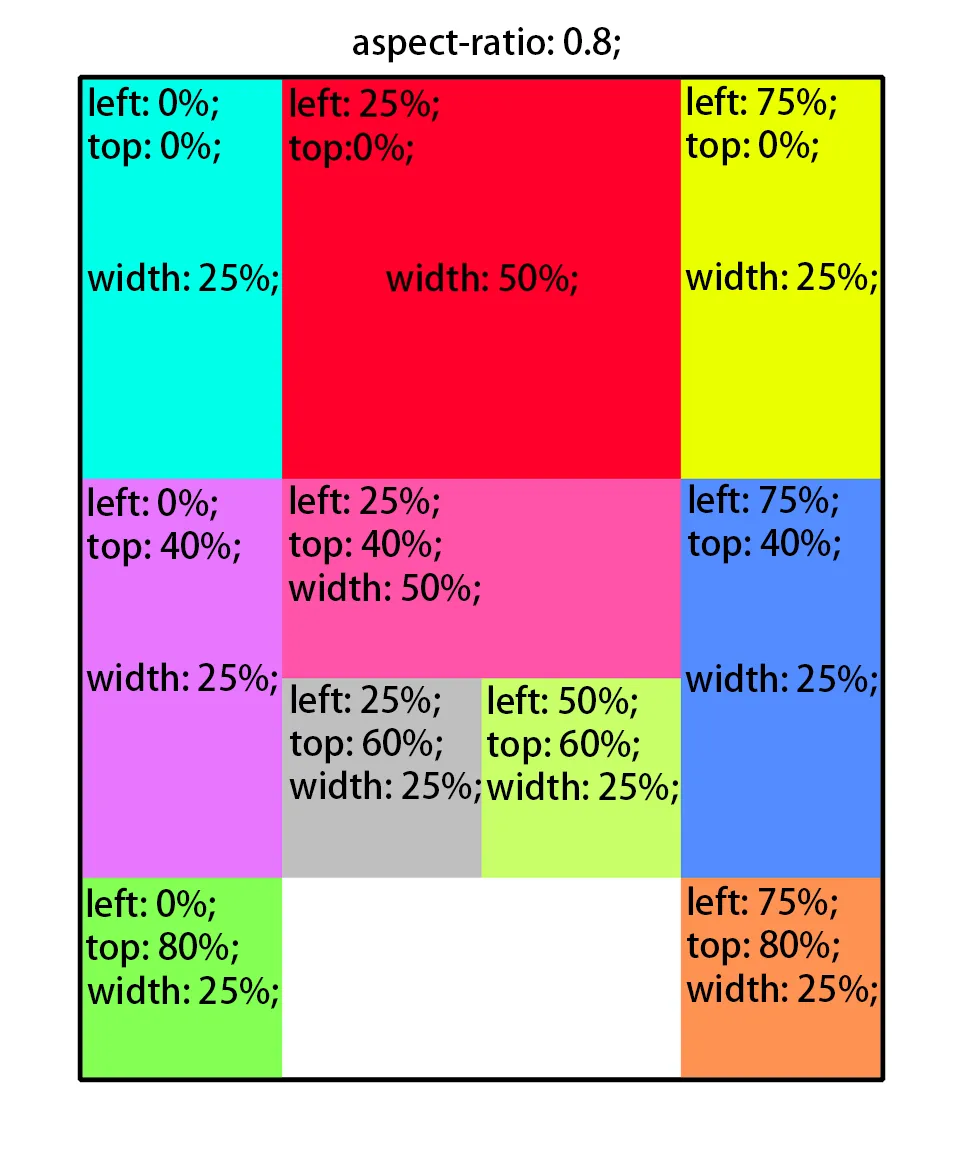
下面,我们来使用 position: absolute; 实现一个华容道的布局。
-
画布使用
aspect-ratio: 0.8;,保证宽度始终是高度的0.8倍。 -
棋子的位置由
left和top属性控制,锚点在左上角。 -
棋子的宽度由
width控制其占父元素宽度的百分比。高度由图片大小决定。 -
华容道的棋盘可视为是宽度 4,高度 5 的棋盘。依此求得各个数值。
最终效果:

张飞

曹操

马超

赵云

关羽
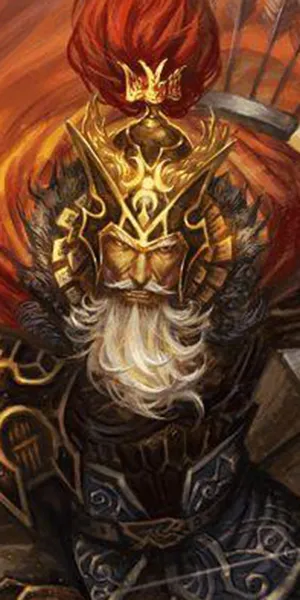
黄忠

士兵
士兵
士兵
士兵
源代码:
<style>
  .desc {
    position: absolute;
    width: 100%;
    background: #ffffffa0;
    bottom: 0px;
    margin: 0 auto;
    text-align: center;
    color: #222;
  }
</style>

<div style="margin: 0 auto; width: 60%; aspect-ratio: 0.8; position: relative; background: #ffdfdf; box-shadow: 4px 4px 5px rgba(0, 0, 0, 0.5);">
    <div style="position: absolute; left: 0%; top: 0%; width: 25%;">
        <img style="margin: 0; width: 100%;" alt="张飞" src="ZhangFei.webp"/>
        <p class="desc">张飞</p>
    </div>
    <div style="position: absolute; left: 25%; top: 0%; width: 50%;">
        <img style="margin: 0; width: 100%;" alt="曹操" src="CaoCao.webp"/>
        <p class="desc">曹操</p>
    </div>
    <div style="position: absolute; left: 75%; top: 0%; width: 25%;">
        <img style="margin: 0; width: 100%;" alt="马超" src="MaChao.webp"/>
        <p class="desc">马超</p>
    </div>
    <div style="position: absolute; left: 0%; top: 40%; width: 25%;">
        <img style="margin: 0; width: 100%;" alt="赵云" src="ZhaoYun.webp"/>
        <p class="desc">赵云</p>
    </div>
    <div style="position: absolute; left: 25%; top: 40%; width: 50%;">
        <img style="margin: 0; width: 100%;" alt="关羽" src="GuanYu.webp"/>
        <p class="desc">关羽</p>
    </div>
    <div style="position: absolute; left: 75%; top: 40%; width: 25%;">
        <img style="margin: 0; width: 100%;" alt="黄忠" src="HuangZhong.webp"/>
        <p class="desc">黄忠</p>
    </div>
    <div style="position: absolute; left: 25%; top: 60%; width: 25%;">
        <img style="margin: 0; width: 100%;" alt="士兵" src="ShiBing.webp"/>
        <p class="desc">士兵</p>
    </div>
    <div style="position: absolute; left: 50%; top: 60%; width: 25%;">
        <img style="margin: 0; width: 100%;" alt="士兵" src="ShiBing.webp"/>
        <p class="desc">士兵</p>
    </div>
    <div style="position: absolute; left: 0%; top: 80%; width: 25%;">
        <img style="margin: 0; width: 100%;" alt="士兵" src="ShiBing.webp"/>
        <p class="desc">士兵</p>
    </div>
    <div style="position: absolute; left: 75%; top: 80%; width: 25%;">
        <img style="margin: 0; width: 100%;" alt="士兵" src="ShiBing.webp"/>
        <p class="desc">士兵</p>
    </div>
</div>

<div style="margin: -50px 0 0 -80px; width: calc(100% + 160px); height: 80px; background: #00000020;"></div>